

Why plain backgrounds exist
Identity systems need clear separation between face, hair, and backdrop. Patterns, other people, and uneven grey gradients confuse both human reviewers and automated checks. Uniform light tones are the global norm.
Background hub
Plain backgrounds maximise facial contrast for identity checks. Most countries require white or near-white tones — this hub links to workflow guides for compliant background replacement.


Passport and visa standards reject busy patterns, shadows, and coloured walls. This hub is about tone and replacement workflows — not country millimetres or visa form pixel caps. Walk-in clients arrive with kitchen walls, patterned curtains, and outdoor selfies; the studio’s job is to standardise the field behind the face without rewriting identity features. Passprint replaces backgrounds in seconds, then sizes the portrait for the destination country so counter queues keep moving without Photoshop masks. Use the white-background child page for deep studio tips and the white how-to when you need a step-by-step DIY swap. Passprint automates the entire workflow from upload to print-ready sheet in just a few clicks.
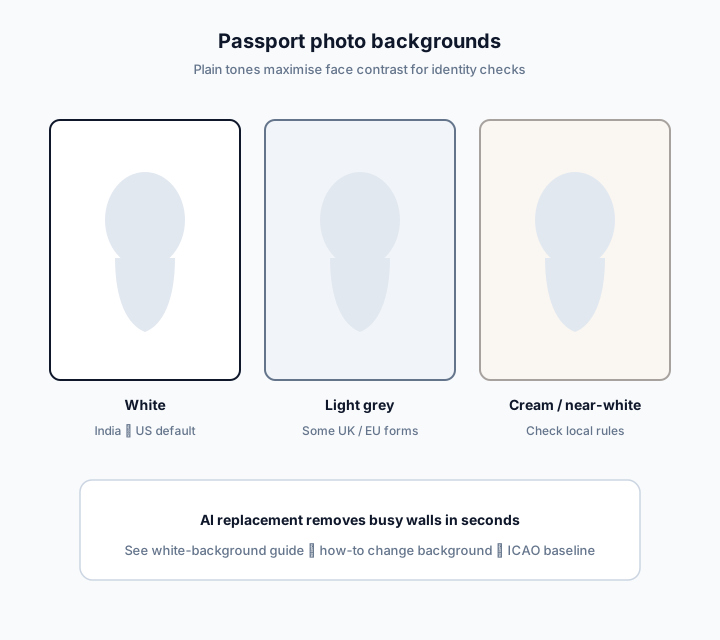
India, the US, and many visa forms specify plain white or off-white backgrounds for maximum contrast.
Some UK and European forms accept light grey or cream — confirm the checklist before choosing a tone.
AI segmentation replaces manual cloning so studios process walk-ins without rebuilding layers per client.
Compare common background expectations and open the white-background deep dive or the step-by-step how-to for replacement technique.
| Spec | White / off-white | Light grey / cream | Busy wall (reject) |
|---|---|---|---|
| Typical use | India, US, many visas | Some UK / EU packs | Home / outdoor snapshots |
| Reviewer risk | Lowest when uniform | OK if form allows | High — patterns & shadows |
| Passprint approach | AI replace to white | Tone select when supported | Replace entirely |
| Open next | White background guide | How-to white swap | Take photo at home |
Identity systems need clear separation between face, hair, and backdrop. Patterns, other people, and uneven grey gradients confuse both human reviewers and automated checks. Uniform light tones are the global norm.
The white background passport photo page covers studio workflows, clothing contrast, and export tips. Use it when white is confirmed as the required tone.
The how-to walks through segmentation, fill, and re-checking crop after the swap. Pair it with the crop guide so face height remains valid after replacement.
Stand away from the wall, use front light, and avoid beauty filters. Cleaner captures produce better hair edges when AI removes the old backdrop.
Do not reshape faces, invent makeup, or heavily smooth skin while fixing the background. Those alterations can violate rules even if the wall becomes white.
Country pages list local tone preferences. ICAO emphasises uniformity and contrast. After whitening, still apply the correct millimetre size for the destination.
When you are ready to process, open try or the maker. Background replacement runs inside AI processing alongside face framing.
Teach staff to reject source photos with other people in frame, strong wall logos, or deep chin shadows before spending a credit. A thirty-second lighting fix at capture often yields cleaner mattes than fighting a bad source in post. Keep a printed checklist next to the camera: plain wall, step back, front light, no beauty mode.
After the field is white, the photo still needs the correct outer size. Route finished backgrounds into the size hub or the matching country guide so India 35×45, US 2×2, UK 35×45, and Canada 50×70 each get the right crop — background success alone does not clear an application.
Upload a portrait, whiten the backdrop, and apply a size preset in one flow.
Try Passprint freePlain backgrounds are an identity requirement. Use white unless your form clearly allows another light tone.
Official references
Passprint uses AI-assisted processing for background replacement, face framing, and sizing. Final acceptance is decided by the issuing authority — always verify against the official references on this page and inspect your printed sheet before submission.
Last reviewed: July 31, 2026
White and compliant background workflows for passport and visa photos.