Passprint

US visa photo requirements

US visa photos sized for DS-160 and consular submission

Immigration consultancies and studios process hundreds of US visa photos monthly. Passprint delivers square 2×2 inch crops with consistent head framing and plain backgrounds applicants can trust.

2×2 in visa presetDigital & print exportICAO framing
Passprint US visa photo DS-160 workflow: upload portrait, AI background removal, compliant sizing, and print-ready A4 sheet
For visa consultancies

Visa photos that survive scrutiny
when DS-160 rejects uploads for head-size drift

US visa applications reject photos for head-size drift, shadows on backgrounds, or low resolution. Passprint encodes repeatable sizing so your team doesn't re-shoot applicants before consular interviews. Passprint automates the entire workflow from upload to print-ready sheet in just a few clicks.

Studio challenge

Square crop for DS-160 uploads

Export a digital 2×2 file sized for online visa forms plus a print sheet for applicants who need physical copies at their interview.

01 / 03
Studio challenge

Fewer consular re-submissions

When every photo uses the same head-height rules, applicants avoid appointment delays caused by non-compliant pictures.

02 / 03
Studio challenge

Batch-friendly for consultancies

Process multiple clients in one session and export separate files per applicant without restarting Photoshop for each person.

03 / 03

How it works

How to create US visa photos for DS-160

Digital 2×2 JPEG for the DS-160 form plus optional print copies — one upload, two export paths for immigration consultancies.

1

Upload applicant portrait

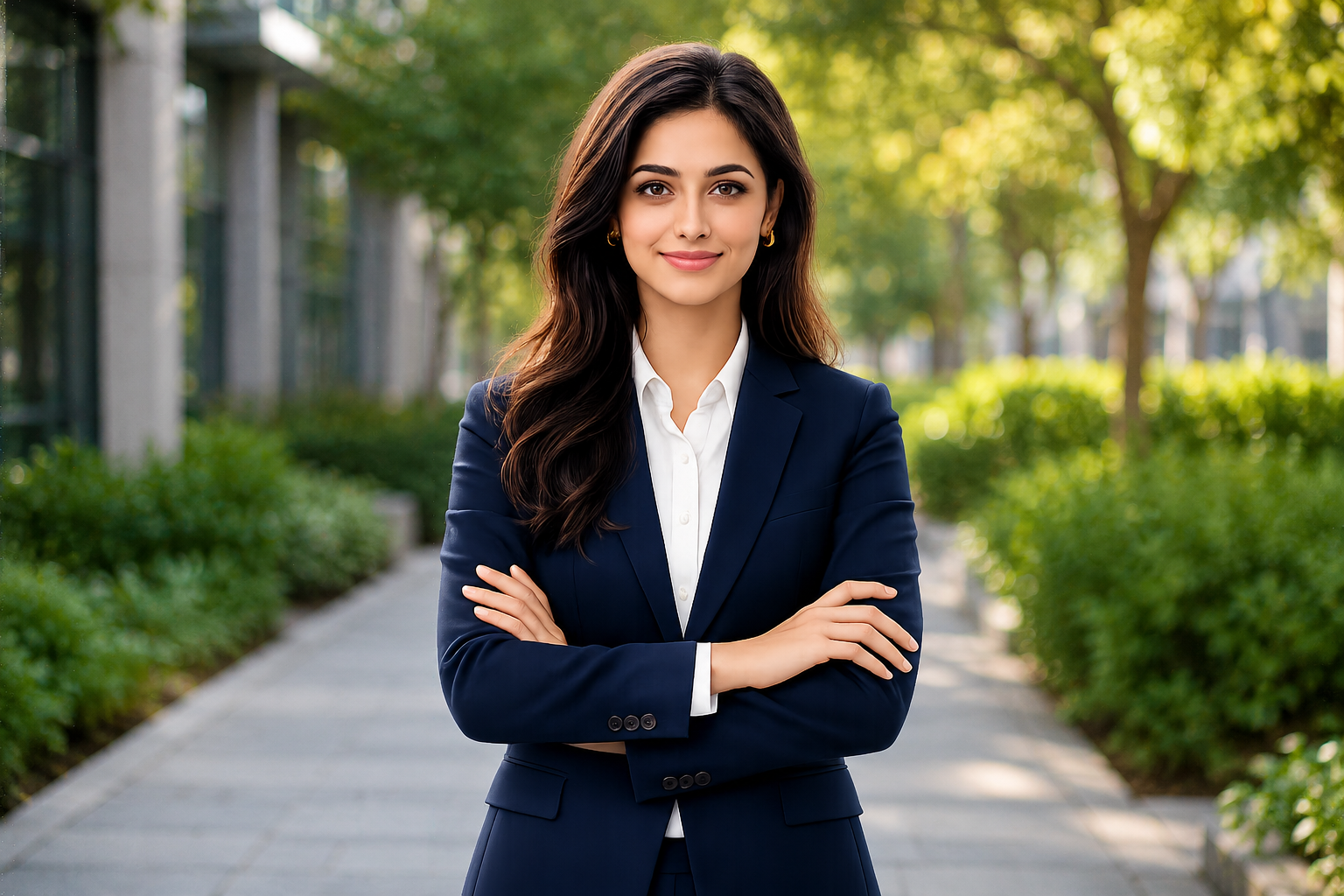
Accept phone or studio photos — Passprint handles exposure and orientation for visa processing.

Person taking a selfie to upload as passport photo
Upload Photo
2

Apply visa 2×2 preset

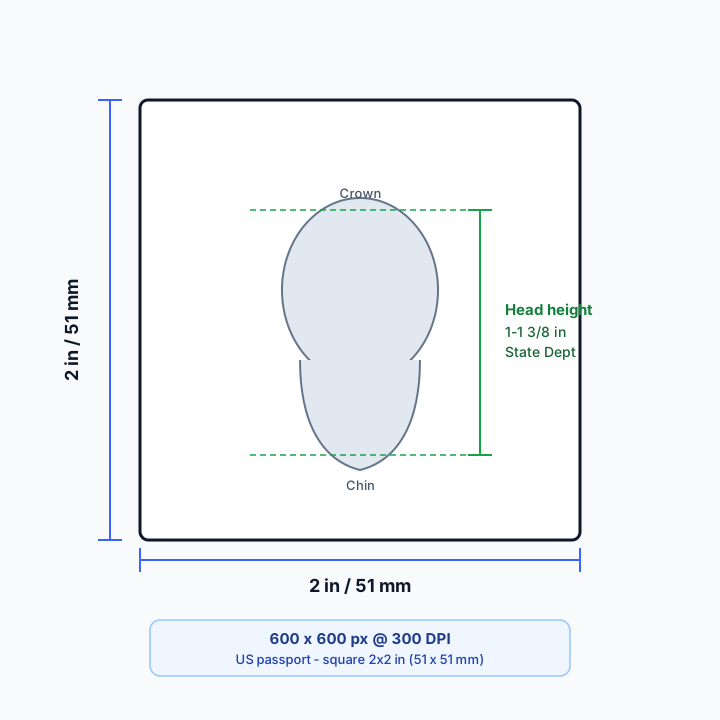
Square crop to 51×51 mm with head-height rules used for US visa photograph standards.

Portrait being AI-processed
Processing
3

Export for DS-160

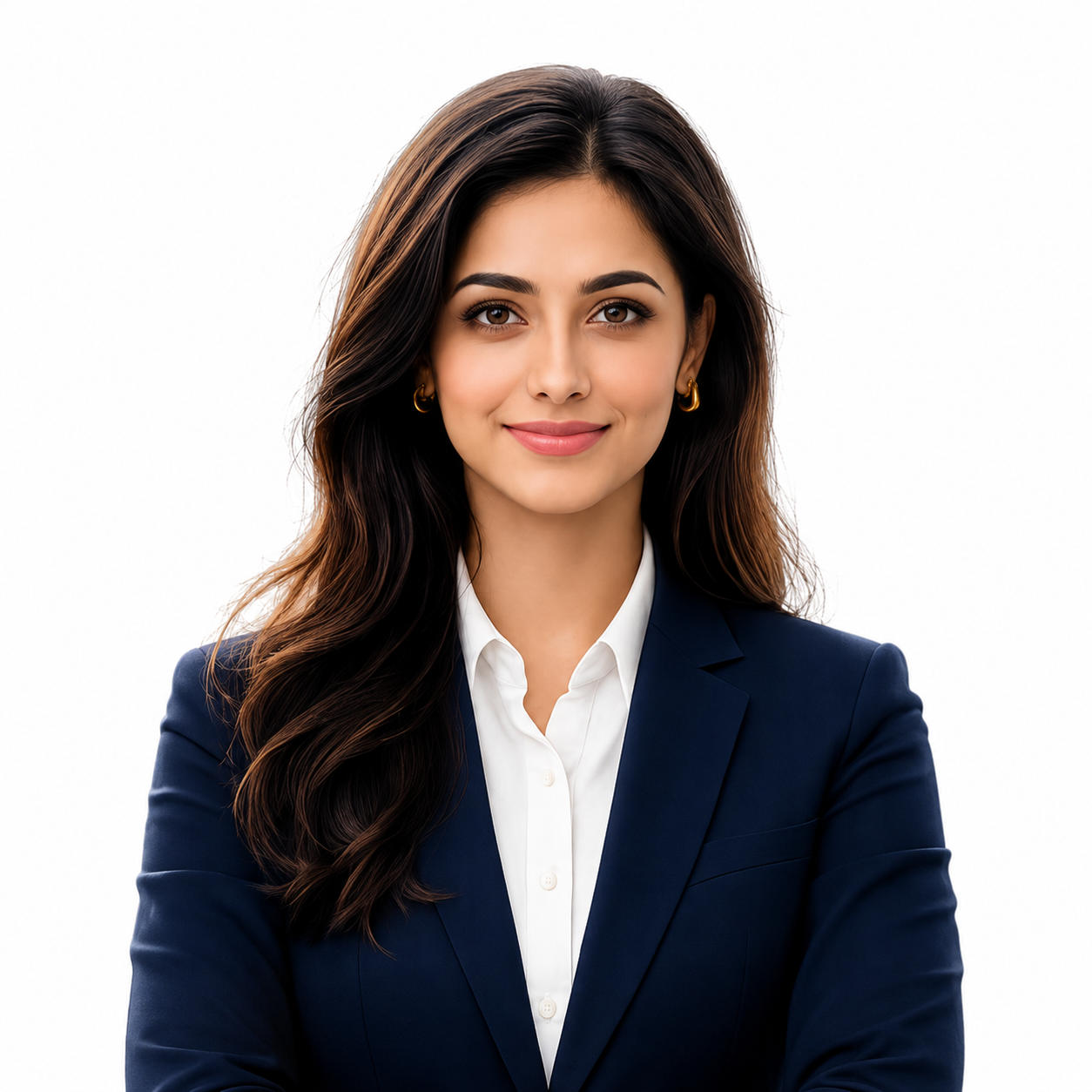
Download a digital JPEG within common file-size limits for online visa form upload.

Processed passport photo with compliant background
Original selfie before processing
25 mm
35 mm ISO
35 mm
25 to 35 mm (50 to 69%)
4

Print interview copies

Lay out physical 2×2 copies on A4 or Letter for applicants who need prints at their appointment.

For Print (A4).pdf300 DPI

Passport Size Photos

A4 · 210 × 297 mm · 2 × 2 in

For users in the United States: The U.S. Department of State prohibits digital alterations of ID photographs. Our platform provides sizing and cropping services only and does not modify or enhance images.

US visa toolkit

Visa photo tools for agencies.
DS-160 and interview ready.

Square digital files and print copies sized for US visa forms and consular appointments.

2×2 inVisa preset
DigitalDS-160 export
300 DPIPrint copies
01
Visa

DS-160 square crop

2×2 inch digital JPEG sized for online visa forms plus print layouts for interviews.

02
Batch

Agency batch sessions

Process multiple applicants in one session with separate exports per client.

03
Quality

Rejection reduction

Consistent head-height rules help avoid consular delays from non-compliant photos.

04
Background

White background standard

Remove cluttered backgrounds and export plain white or off-white tones.

05
Export

Dual export modes

One upload — digital file for DS-160 and print sheet for applicants who need physical copies.

06
Studio

Client job records

Reopen visa photo jobs when applicants need a reprint before their appointment.

US visa photo FAQ

US visa photo requirements

US visa photos are 2×2 inches with a plain white or off-white background. The head must measure 1–1⅜ inches (25–35 mm) from chin to top of hair per Department of State visa guidance.

What size is a US visa photo?

US visa photos are 2×2 inches (51×51 mm) with the head occupying the prescribed portion of the frame. Passprint applies these dimensions automatically.

How is a US visa photo different from a US passport photo?

Both are 2×2 inches, but DS-160 imposes digital file-size and dimension checks for online upload. Visa applicants often need print copies for interviews — Passprint exports both formats from one workflow.

Can I use the same photo for DS-160 and printing?

Yes. Export a digital JPEG for online upload and a 300 DPI print layout for applicants who need physical copies at their interview.

What background colour is required for US visa photos?

A plain white or off-white background is standard per Department of State visa photograph requirements.

Is Passprint suitable for immigration agencies?

Yes. Agencies use Passprint to standardise visa photo output across staff, reduce rejections, and speed up client turnaround.

Last reviewed: July 6, 2026

Pricing

Plans built for every studio

Editing and layout tools scale with your plan. You only spend credits on AI processing: one credit per client photo.

Free

₹0/ always free
3credits every 72 hours

1 client per session

Get started
  • 3 credits every 72 hours
  • Process up to 1 client per session
  • AI Background Removal
  • Automatic Face Alignment
  • ICAO-Compliant Passport Framing
  • Passport Photo Validation
  • Standard Passport & Visa Photo Sizes
  • Print-Ready Passport Photos
  • Basic Passport Layout Creation
  • Directional copy placement on layout
  • 1 Hour Job History
  • Standard Support
Most popular

Pro

₹149/ month
100credits / month

Up to 3 clients per session

Get started
  • Everything in Free plan
  • 100 credits every 30 days
  • Process up to 3 clients per session
  • All copy presets (3, 6, 8, 12, 16)
  • All page sizes (A4, A5, A3, A2, Letter, Legal & custom)
  • PNG, PDF & print export
  • Full layout editor & background tools
  • Adjust photo & advanced editing
  • Multi-client processing & batch creation
  • Smart auto-align & advanced layout tools
  • Add clients in editor & directional copies
  • Advanced compliance & quality validation
  • Reprint from history
  • Billing & invoice management
  • Priority email support

Pro+

399Save 5%
₹379/ month
300credits / month

Up to 5 clients per session

Get started
  • 300 credits every 30 days
  • Process up to 5 clients per session
  • All copy presets (3, 6, 8, 12, 16)
  • All page sizes (A4, A5, A3, A2, Letter, Legal & custom)
  • PNG, PDF & print export
  • Full layout editor & background tools
  • Adjust photo & advanced editing
  • Multi-client processing & batch creation
  • Smart auto-align & advanced layout tools
  • Add clients in editor & directional copies
  • Advanced compliance & quality validation
  • Reprint from history
  • Billing & invoice management
  • Priority email support
  • Extended 7-day job history
  • Priority chat support
  • Early access to new studio features

DS-160 ready visa photos in one workflow.

Digital 2×2 export plus print copies for consular appointments.